
Auto Triage
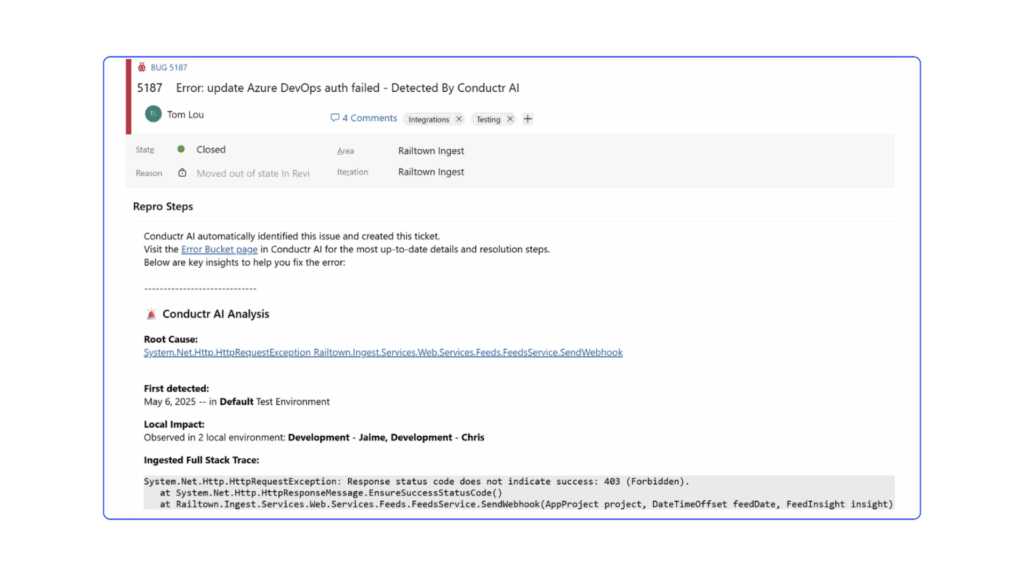
Streamlines the triage process and error resolution by instantly creating bug tickets complete with stack trace, environment data, and fix-ready context as errors occur so developers can get to work immediately
Instant and Actionable Tickets
Every ticket comes enriched with all the details a dev or copilot needs to start fixing an error right away: stack trace, logs, and context.
Smart Error Prioritization
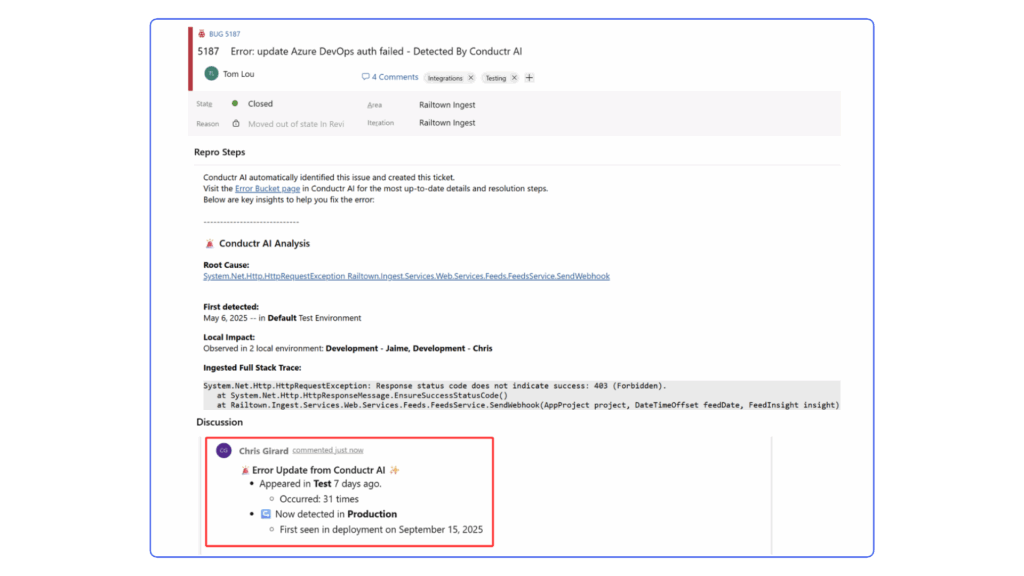
As errors propagate across environments, Auto Triage flags and comments on the spread, helping teams instantly see what’s urgent vs. what’s isolated.
Accelerated Error Resolution
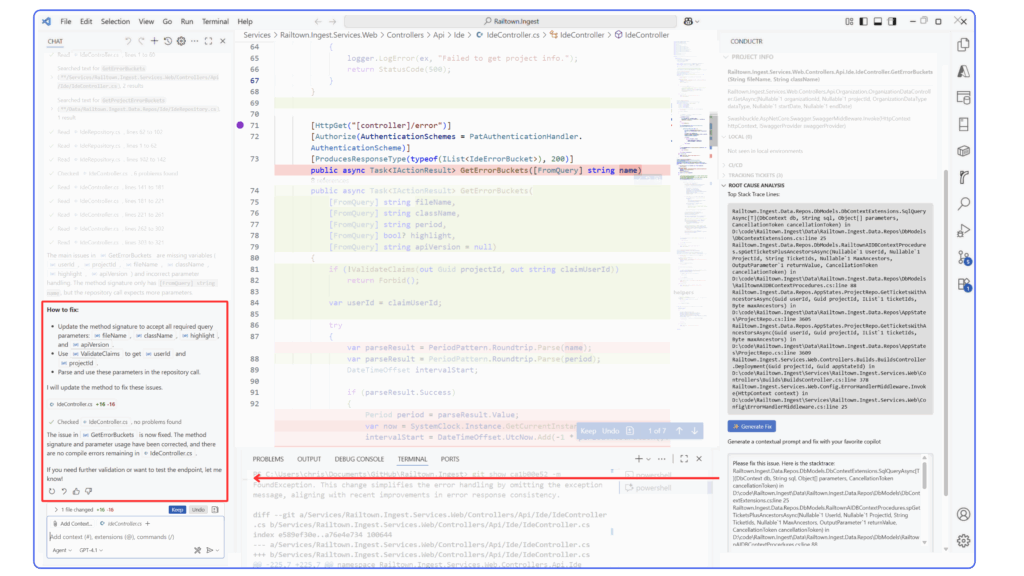
Developers cut down on investigation time and focus on solving the problem with real-time environment insights paired with RCA.
Start a Free Trial
Save time and improve dev workflow by streamlining triage to error resolution process with Auto Triage.
FAQs
How can I get started with Conductr today?
Sign up for a demo with our Success Team. They’ll walk you through the functionality and how to connect your data so the Conductr can work it’s magic.
Does Conductr store my application's source code?
Sign up for a demo with our Success Team. They’ll walk you through the functionality and how to connect your data so the Conductr can work it’s magic.
How does Conductr work?
Sign up for a demo with our Success Team. They’ll walk you through the functionality and how to connect your data so the Conductr can work it’s magic.
Is Conductr secure?
Sign up for a demo with our Success Team. They’ll walk you through the functionality and how to connect your data so the Conductr can work it’s magic.
FAQs
- What is Auto Triage?Conductr’s Auto Triage streamlines the triage process and error resolution by instantly creating bug tickets complete with stack trace, environment data, and fix-ready context as errors occur so developers can get to work immediately. It accelerates error resolutions, provides smart error prioritization through instant creation of bug tickets
- How does Auto-Triage decide which errors become bug tickets, and when?When Conductr sees a new error, it creates a bug ticket immediately on the users board.
- Does Auto-Triage dedupe tickets for the same error across environments (e.g., staging → prod)?Yes. Auto‑Triage automatically creates a single bug ticket when an error is detected. As the error propagates across environments, the same ticket is updated with comments, ensuring all occurrences are tracked in one place without duplicates.
- What context does the bug ticket include (stack trace, environment, severity, propagation history)?Auto-triaged bug tickets include root cause, when the error was first detected and which environment, its local impact and stack trace.
- How are tickets updated if an error re-occurs or propagates? Will comments and metadata be added automatically?Yes, Conductr will update the ticket with a comment if the error has propagated to a new environment. An updated list of error counts across all environments will also be added.