
Deployment Insights
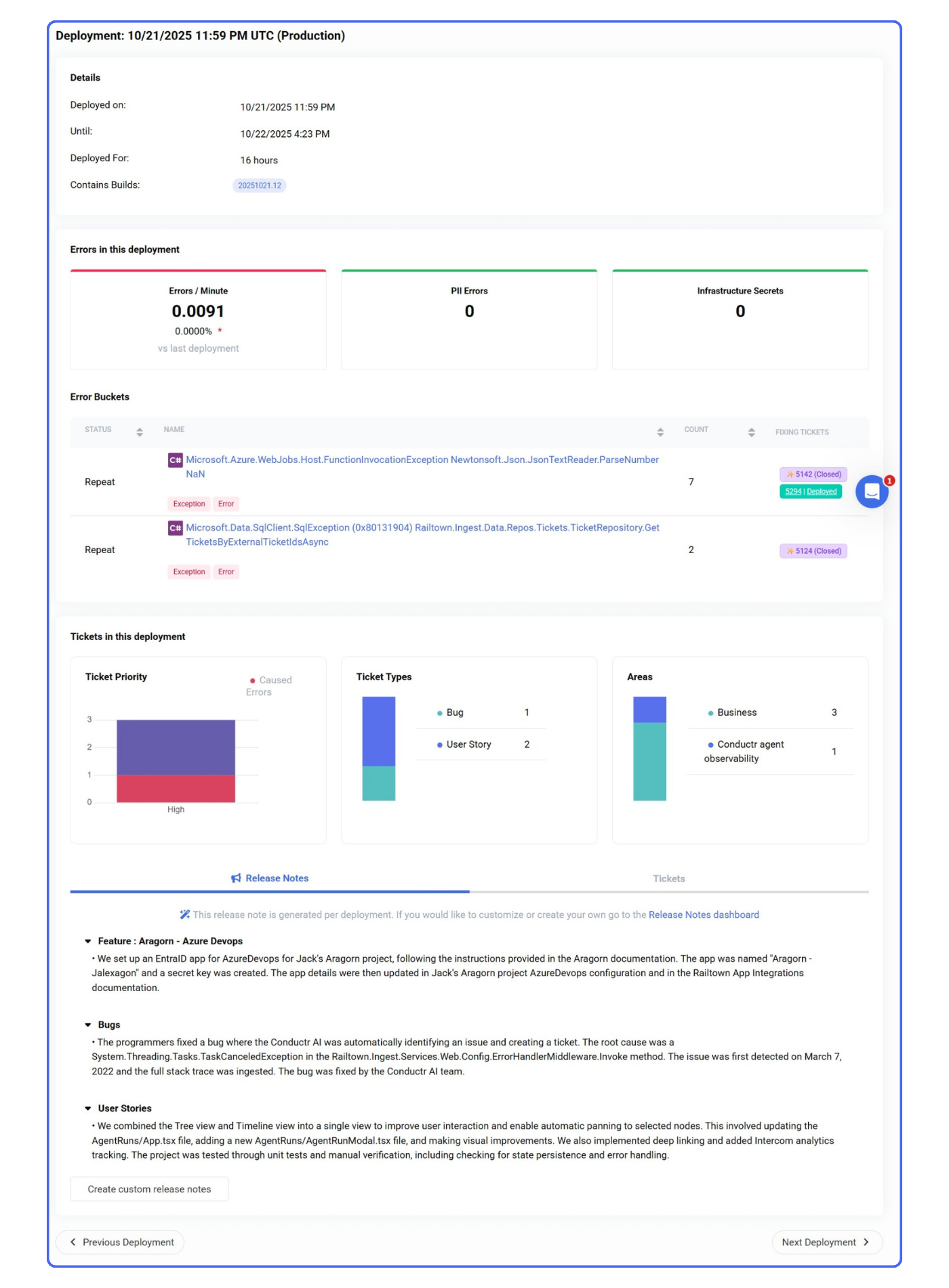
Provides a single-pane-of-glass view of application environments automatically pushed to teams enabling complete visibility and unified communication for every deployment
Clear Visibility Into What’s Shipping
Keep every team member informed with automated Slack, Microsoft Teams, webhook and email notifications detailing shipped features, fixes, and bugs for each deployment. Product managers, developers, and engineering leads stay align in real time, with one-click access to deeper deployment insights when needed.
Stability & Security in Every Deployment
Continuously monitors deployments for PII exposure and infrastructure secret leaks in real time, safeguarding code integrity and ensuring every release meets security standards. Deployments have a list of root causes and links to the tickets. Purple tickets signify that it was automatically detected and reported by Conductr Auto Triage.
Know Exactly What’s Been Shipped
View every ticket included in a deployment – epics completed, issues addressed, and bugs fixed, categorized by type and visualized through graphs. Dive deeper with automatically generated release notes and detailed ticket breakdowns in one unified view that keeps teams aligned on what’s shipped and why.
Deploy with Confidence Across Environments
Track every deployment, monitor errors in real time, and ensure secure, reliable releases with unified visibility across environments.
FAQs
How can I get started with Conductr today?
Sign up for a demo with our Success Team. They’ll walk you through the functionality and how to connect your data so the Conductr can work it’s magic.
Does Conductr store my application's source code?
Sign up for a demo with our Success Team. They’ll walk you through the functionality and how to connect your data so the Conductr can work it’s magic.
How does Conductr work?
Sign up for a demo with our Success Team. They’ll walk you through the functionality and how to connect your data so the Conductr can work it’s magic.
Is Conductr secure?
Sign up for a demo with our Success Team. They’ll walk you through the functionality and how to connect your data so the Conductr can work it’s magic.